Skip to content
MAFLO — A Proeffico Product
The stock you can audit

Reserved vs physical vs available — by depot, live.

Stock numbers that don't tie are the most common reason owner trust breaks. MAFLO keeps Reserved, Physical and Available in three columns, by depot — so the salesperson promising stock can see the same number the dispatch team is preparing.

What this catches

Stop bleeding margin on the things you can't see.

  • Raw material that vanishes between the store and the line
  • Stock promised to two customers because no Reserved column existed
  • Reorder levels that never actually triggered
  • Inter-depot transfers that vanish in transit and reappear at month-end
  • GRN entries that don't match the PO and never get reconciled

Stock Status — by depot, live

Opening / Received / Reserved / Available, refreshed live. Filter by item, by depot, by category. Any number a salesperson sees is the same number dispatch is preparing.

  • Opening / Received / Reserved / Available — four-column view
  • By depot, by item; filter and export
  • Reorder triggers fire on Available crossing the level
  • Drill into any number → the transactions that built it
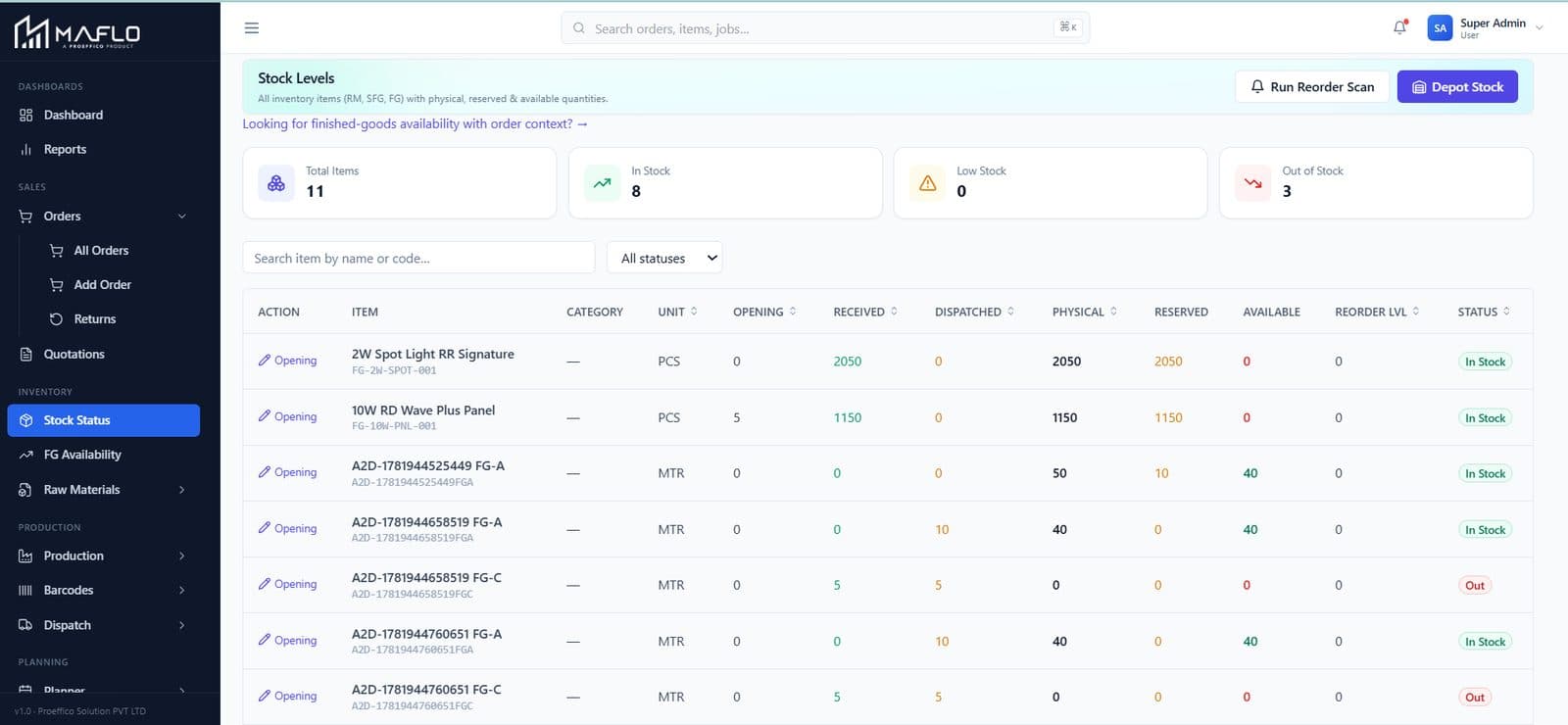
Stock Status — by depot, live — live MAFLO screen

Multi-depot transfers

Inter-depot transfers go through an FSM: Created → In Transit → Received → Discrepancy / Closed. The depot manager can't close the discrepancy, only acknowledge or escalate.

  • Each transfer carries the scan trail — what shipped vs what arrived
  • Discrepancies raise an incident, not a quiet adjustment
  • Same data spine as your customer dispatch — no separate ledger
  • Auditable forever; month-end stops being a guess
Multi-depot transfers — live MAFLO screen

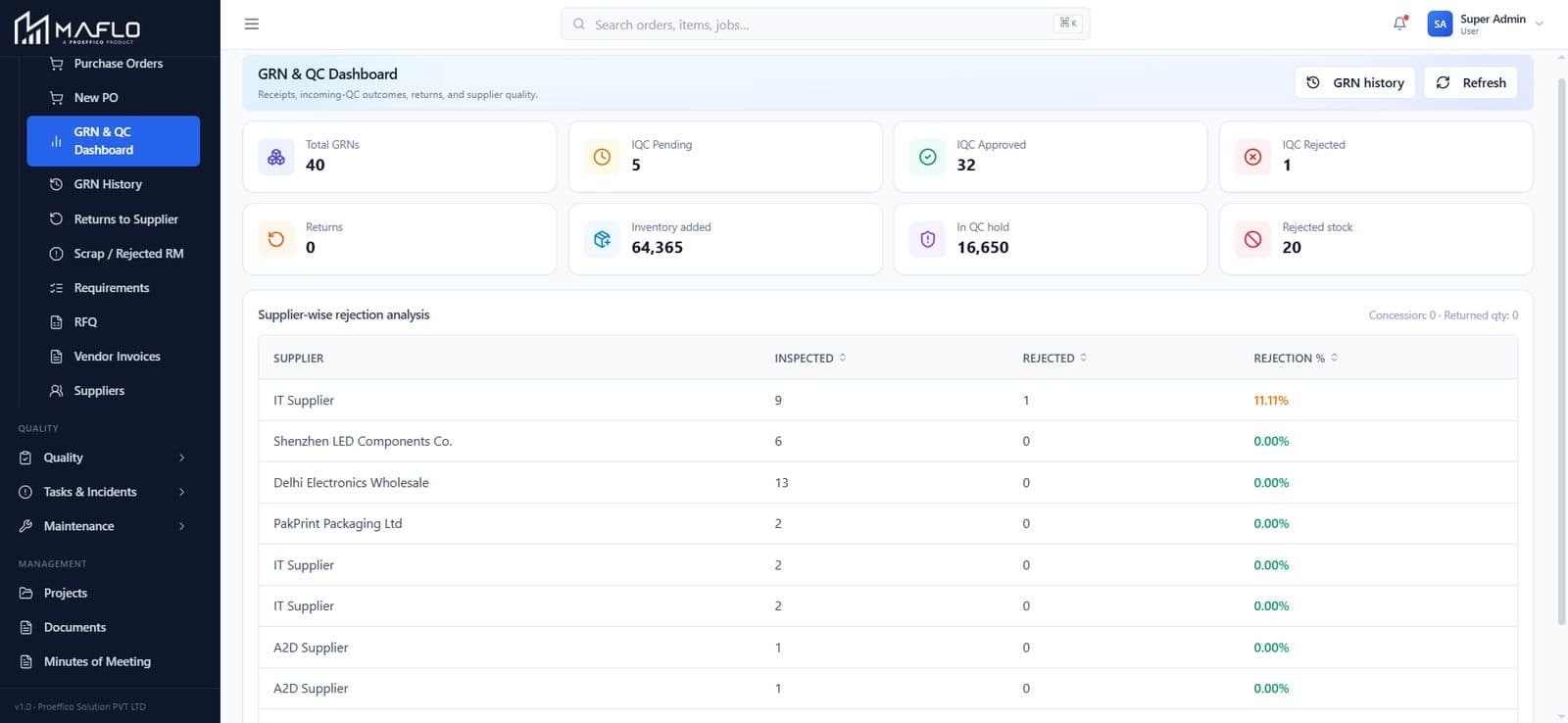
GRN + Receipts

GRN against PO, three-way matched (PO ⇆ GRN ⇆ Vendor Invoice). Material flows into Stock the moment the GRN is approved; the procurement team sees the same numbers the floor sees.

  • Three-way match — PO, GRN, Invoice
  • Material visible in Stock the moment the GRN closes
  • Vendor performance tracked across GRNs
  • Discrepancies routed for review, not silently absorbed
GRN + Receipts — live MAFLO screen

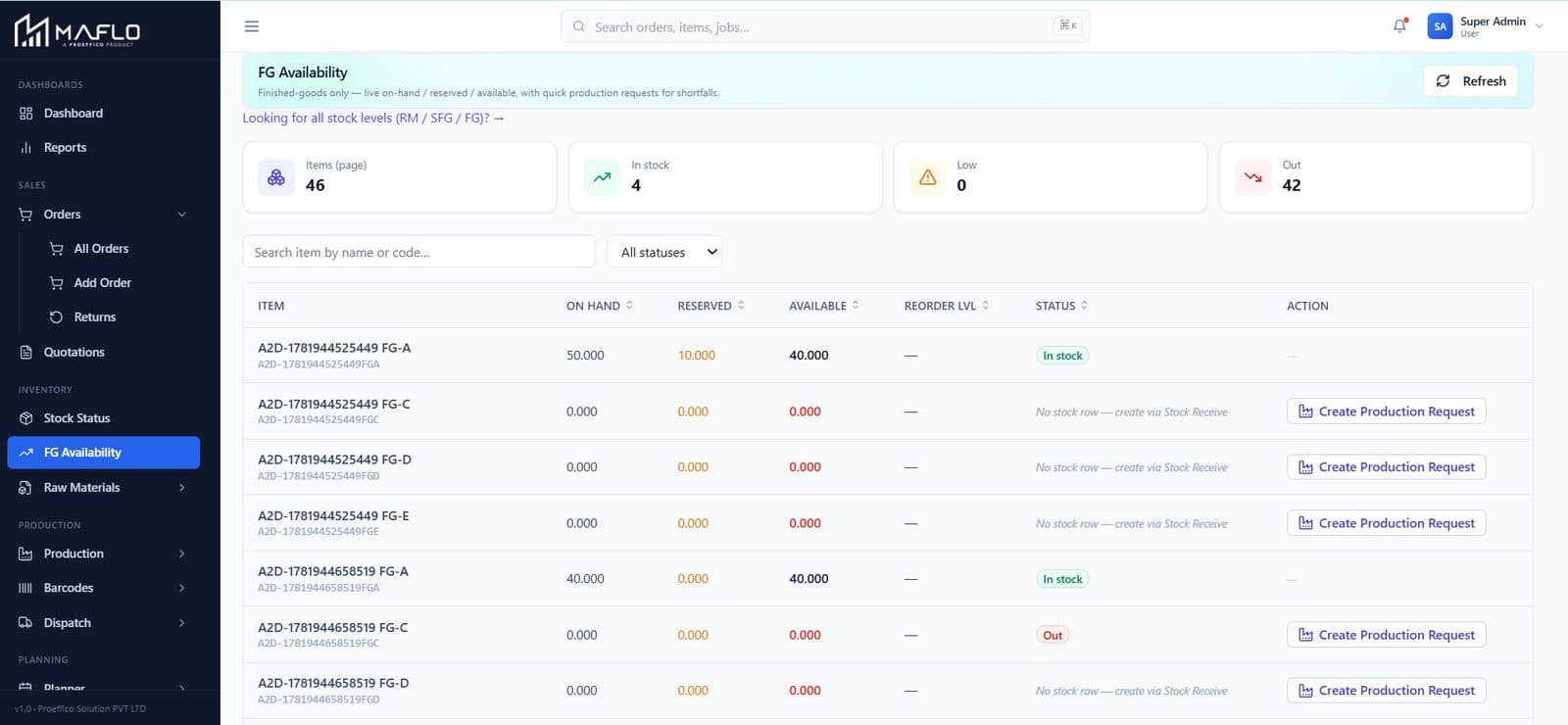
FG Availability

Finished Goods by SKU, by depot, by promised customer. The sales team sees what's available to commit; the planner sees what's blocked vs ready to dispatch.

  • Customer-wise allocations visible against each SKU
  • Free vs Allocated split per depot
  • Pickable for any open order, scoped by depot
  • Same numbers in the Dashboard and the Scheduler
FG Availability — live MAFLO screen

Find your stock leakage on your own data.

Share a stock report and 5 SKUs across 2 depots. We'll set up Reserved vs Available on your data and show you where today's leakage is.

Book a walkthrough
Inventory — questions owners ask

Inventory FAQ

We run multiple depots that aren't fully online. Will MAFLO still work?

Yes. The handheld scanner caches scans locally and uploads on reconnect; the depot view tolerates partial connectivity. The Reserved / Available columns reconcile as scans flow in. Owners with 6+ depots across Tier-2 cities run MAFLO every day.

How do you handle different UOMs — coil meters vs kg vs pieces?

UOM is per Item, with conversion rules captured at the Master Template. Stock can be tracked in primary UOM and reported in any configured secondary. The same coil shows as meters in production and as kg in dispatch, with no manual conversion.

Tally is still our books-of-account. Does Inventory push to Tally?

Yes. We push sales invoices, GRNs and inter-depot transfers to Tally so your accountant's life stays the same. MAFLO runs operations; Tally runs the books. Your books and your operations finally agree.